10 Best Garden Planners, Apps, and Software
Compare 10 garden planners, programs, and apps by layout tools, planting calendars, mobile access, free limits, and the kind of gardener each suits best.
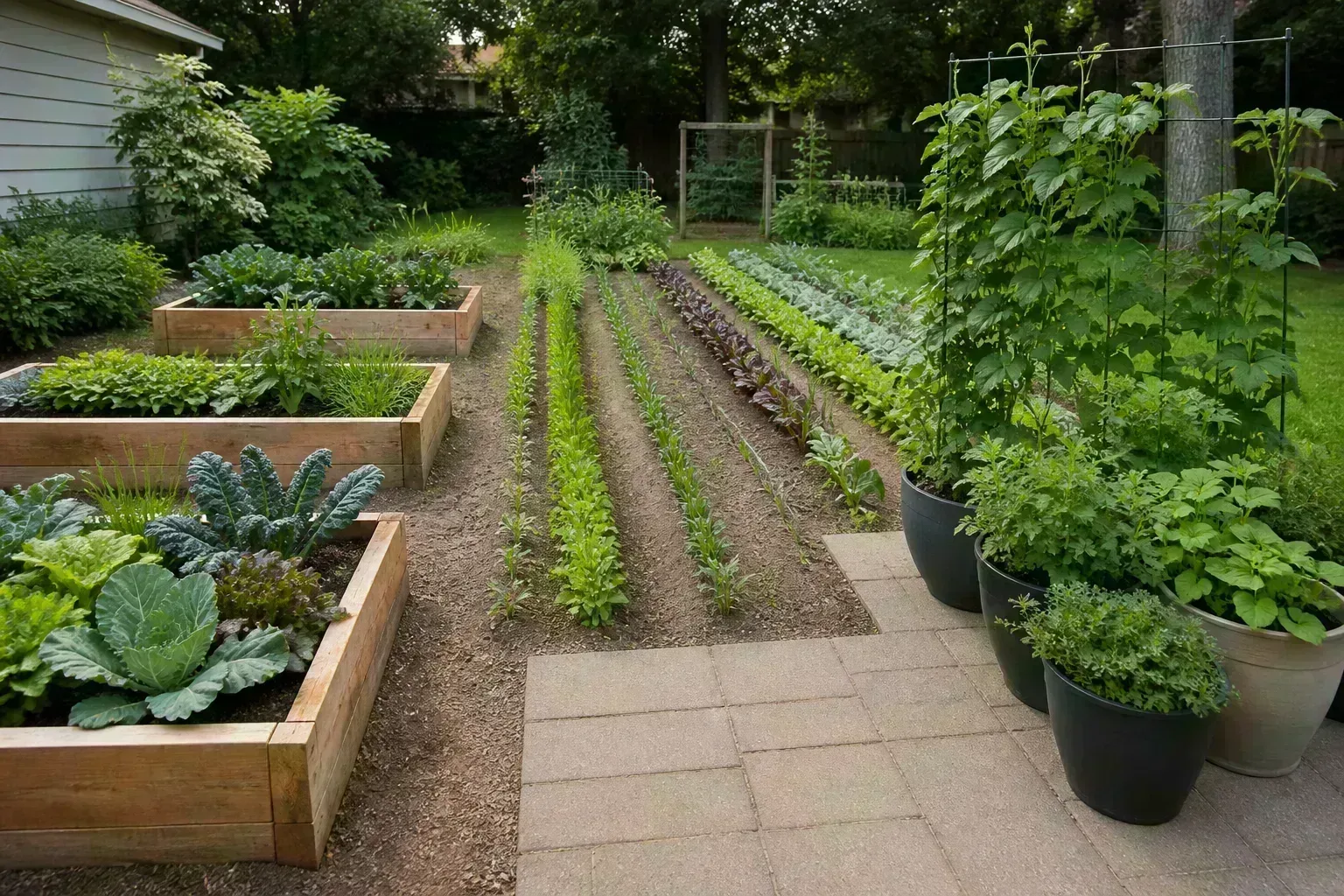
The best garden planner is the one that helps you make a decision you can carry into the yard: where a bed fits, how many plants it holds, when to sow, or whether you can reach the back row without stepping on soil. A polished 3D picture is useful, but it is not the same thing as a planting plan.
This comparison separates ten tools by their real strengths. GrowVeg and VegPlotter are built around edible crops and timing; Gardeners Supply and Smart Gardener simplify grids and spacing; landscape-oriented tools are better for paths, fences, patios, and permanent planting; journal apps help you learn from one season to the next. Free access also varies: some tools are genuinely free with limits, while others are trials or free entry points to a paid service.
How to choose the right garden planner
Start with the job, not the brand name. If you need to know when to start tomato seeds and where to rotate brassicas next year, choose a crop planner. If you are deciding whether a curved bed, hedge, or patio works beside the house, choose a landscape visualizer. If your main problem is remembering what you planted, a journal may be more useful than a design program.
The second filter is your tolerance for setup. A beginner-friendly grid can produce a sound plan in ten minutes. A professional-style renderer takes longer to learn and may still leave you to research plant spacing, frost dates, and maintenance. That extra control only pays off when the project needs it.
Finally, check what happens to your work. Can you print or export the plan? Does the free tier save it? Is the plant database tied to one country? Can you use it on the phone while planting? These are not minor details. A plan you cannot retrieve in April is decoration, not infrastructure.
Quick comparison of the 10 tools
| Tool | Best for | Strongest feature | Main trade-off |
|---|---|---|---|
| GrowVeg Garden Planner | Vegetable growers who want one system | Layout, spacing, calendar, reminders, rotation | Trial and subscription model |
| VegPlotter | Free-first vegetable layouts | Custom beds and seasonal planning | Free use has planting limits |
| Gardeners Supply Kitchen Garden Planner | Simple raised-bed grids | Fast drag-and-drop and printable plan | Less suited to whole-yard design |
| Smart Gardener | Spacing and plant lists | Bed shapes, plant details, print output | Paid access for full use |
| Plan-A-Garden | Visual landscape concepts | 3D scenes and plant filtering | Not a crop-production calendar |
| GARDENA My Garden | Simple yard sketches | Yard objects and irrigation concepts | Availability and depth can vary |
| Planter | Phone-friendly vegetable planning | Visual bed layout | Check current platform and free limits |
| Seedtime | Planting calendars | Tasks and succession rhythm | More calendar than landscape design |
| Gardenize | Garden records | Photos, notes, and history | Manual data entry |
| Realtime Landscaping Architect | Detailed desktop design | Terrain, structures, and rendering | Steeper learning curve and paid upgrade |
Treat the table as a starting point, not a permanent ranking. Product features and prices change. Verify the current plan before paying, and keep a printable or exported copy of any layout you would hate to rebuild.
What to measure before you open a planner
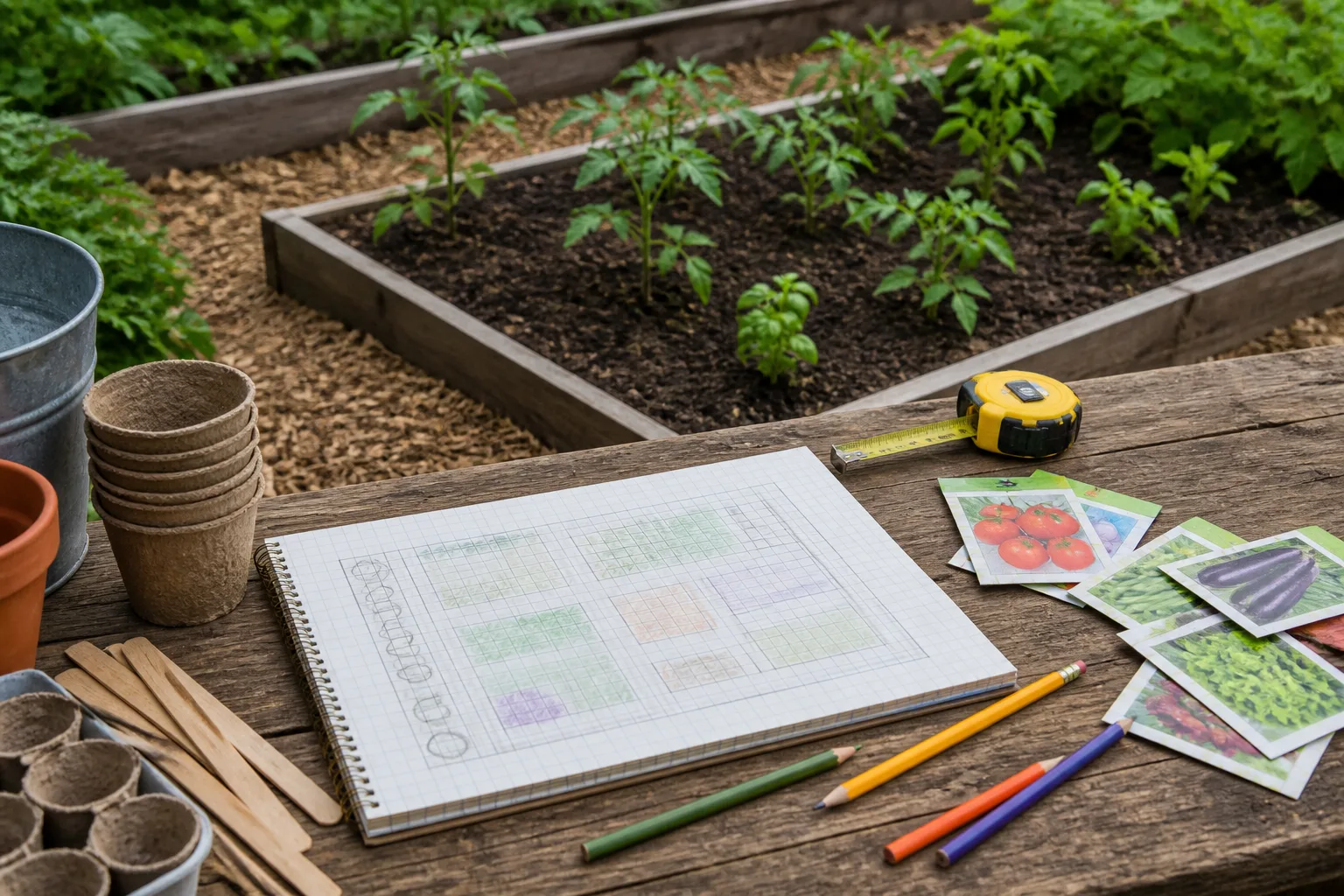
A digital tool cannot infer the parts of your yard that change its usefulness. BHG’s beginner garden guidance recommends observing the site, choosing a convenient water source, and paying attention to soil and slope before planting. Record those constraints first, then reproduce them in the software.
Watch sunlight, water, and drainage
Track direct sun at breakfast, midday, and late afternoon for at least one clear day; repeat the check in a different season if the garden is shaded by deciduous trees or a neighboring building. Many vegetables perform best with roughly six to eight hours of direct sun, but the important planning insight is distribution: a bed with four strong morning hours is not equivalent to four weak, shifting patches under a tree. The University of Maine Extension explains how to make a productive plan when a site receives only three to five hours, which is a better starting point than pretending every yard is full sun.
Mark the nearest spigot, hose route, rain barrel, gate, compost area, and place where you will store stakes. A bed that looks perfect on screen can become the bed you avoid if watering means dragging a hose through a narrow passage. Also mark puddling after rain, tree roots, low points, and slopes; UF/IFAS Extension guidance similarly emphasizes a sunny site with water access and recognizes in-ground beds, raised beds, grow boxes, and grow bags as workable formats.
Decide what the garden must produce
Write a short crop wish list before browsing plant icons. Separate “we eat this every week” from “I would like to try one plant,” then estimate how often you want to harvest. A household that wants salad every day needs succession sowings; a household that wants six slicer tomatoes needs fewer but larger plants and a reliable support plan. This step keeps a planner from turning enthusiasm into a bed full of simultaneous harvests.
Choose a layout type that matches the list. Rows are straightforward for long crops and machinery; raised beds reduce compaction and make spacing easy to see; containers suit renters and patios; square-foot grids are useful when the bed is small and regular. RHS growing guidance is a useful companion for plant-specific advice, especially when a planner’s database does not reflect your cultivar. Leave room for mature size, not nursery size, and put tall crops where they will not shade shorter crops during the part of the day your site receives its best light.
1. GrowVeg Garden Planner: best for serious vegetable planning
GrowVeg’s official planner is the strongest all-round choice when the garden is primarily edible and you want layout, timing, and records in one place. Its current feature set includes drag-and-drop beds and objects, plant spacing, local-climate scheduling, planting reminders, crop-rotation guidance, and a garden journal. The site says its free trial lets you create and print a plan without payment details, but continued use is a subscription decision.
The useful distinction is that GrowVeg connects the map to a calendar. Move a crop and the planting plan can change; add a protected structure and the schedule can account for that protection. It also supports rows, containers, raised beds, and square-foot methods, so it is flexible enough for a mixed home garden rather than only one bed shape.
Pick it when missing a sowing window costs you a season, when you grow succession crops, or when you want to compare this year’s harvest with next year’s layout. Skip it if you only need a one-time sketch or if you do not want a recurring paid service. The database is helpful, but local seed packets and extension calendars still outrank an app when they disagree about a specific cultivar.
2. VegPlotter: best free-first vegetable layout
VegPlotter is a good fit for gardeners who want a browser-based vegetable plan before committing to a paid system. Its official page describes custom measurements, beds, paths, structures, month-by-month planning, and a free version with unlimited layouts but a cap on yearly plantings. That makes it especially useful for sketching a small garden or testing whether a raised-bed idea fits.
Its workflow encourages sensible sequencing: assess the site, measure it, draw beds and paths, add plants, and then attach the seasonal calendar. You can treat the digital map as a base plan and make a second version for spring, summer, and fall rather than squeezing every crop into one overcrowded picture.
The limit matters for intensive growers. If you plan dozens of succession plantings, custom varieties, or a full market-style schedule, check the current tier before building the entire season. For a beginner who needs a visual plan and a manageable number of crops, the free-first approach is refreshingly practical.
3. Gardeners Supply Kitchen Garden Planner: best simple raised-bed grid
The Gardeners Supply Kitchen Garden Planner is aimed at a narrower job: placing common food crops into a simple grid. You choose plants, drag them onto a bed, and can print a layout with planting information. That narrow scope is a strength when you are working with a regular raised bed and do not need a full property design.
Use it as a fast first draft. Put the bed dimensions in, add the vegetables your household will actually eat, then check whether the result leaves access and enough room for trellises. Its built-in information can help a new gardener think about spacing, days to harvest, and sowing frequency, but do not assume a single printed grid replaces regional frost dates or cultivar-specific instructions.
This is the tool I would choose for someone who says, “I have one new bed and I need a plan tonight.” It is less appropriate for a sloping yard, ornamental borders, a patio master plan, or a garden whose success depends on crop rotation across several years.
4. Smart Gardener: best for spacing and printable plant lists
Smart Gardener focuses on personalized vegetable-bed planning and the information that makes a plan buildable. Its documented workflow supports adjustable square, rectangular, circular, and triangular beds, along with plant placement and printable lists showing spacing, seed depth, plant height, and related growing information. That output is valuable when the person doing the planting is not the person who designed the bed.
The planner’s best feature is the handoff from picture to shopping and planting list. A drawing tells you where crops go; a list tells you what to buy and how much room to leave. The service is not the obvious choice for a whole ornamental property, and full access is paid, so decide whether the printable detail is worth the cost before entering a complex plan.
Choose Smart Gardener when spacing mistakes are your biggest risk or when you want a clean paper plan beside you outdoors. It can also help with small triangular or circular spaces that a rigid rectangle-based template handles poorly.
5. Plan-A-Garden: best for visual landscape ideas
If your question is “What will this border, fence, tree, or path look like beside my house?” a landscape visualizer is a better category than a vegetable planner. BHG’s Plan-A-Garden material describes a drag-and-drop, scene-based approach with 3D elements and filters for plant type, size, and light.
Use this kind of tool early, before you buy hardscape materials. It can reveal that a path is too narrow, a tree blocks a window, or the tallest border plants will crowd a gate. It is excellent for communicating a design idea to a partner, contractor, or garden center.
Its limitation is equally important: a 3D plant symbol does not guarantee the plant is suited to your soil, climate, mature spread, or maintenance capacity. Treat Plan-A-Garden as a visual design layer, then verify plant choices with local sources and turn the final selection into a separate planting list.
6. GARDENA My Garden: best for simple yard and irrigation sketches
GARDENA My Garden is a simple drag-and-drop yard planner for people who want to combine plants with boundaries, structures, and watering ideas. The brand’s planner has traditionally been useful for hand-drawn-style layouts and sprinkler concepts rather than botanical production schedules.
It earns a place here because water access is often the unglamorous reason a garden succeeds or fails. Sketching the hose or irrigation zone beside beds can expose conflicts before you dig. Add the gate, shed, grill, seating, and mature trees before filling the open areas with plants.
Do not use it as your only source for sowing dates, plant spacing, or crop rotation. It is a yard-planning tool. Pair the sketch with a local growing calendar and a simple spreadsheet or journal if your garden produces food.
7. Planter: best for a phone-friendly vegetable layout
Planter is designed around visual vegetable-garden planning on a mobile device. Its appeal is immediacy: you can make a bed, place crops, and bring the plan outside without carrying a laptop. That is helpful for renters, balcony gardeners, and anyone who measures a space with approximate rather than survey-level precision.
Use a phone-first planner when the garden changes often. A container may move from a sunny wall to a balcony rail; a trellis may shift after you see the afternoon shade. A simple editable layout is more useful than a perfect plan you never update.
Before relying on it for a full season, confirm the current operating system support, export options, plant database, and free limits. Mobile convenience does not automatically mean accurate regional timing. Use your seed packet and local extension advice to correct dates, especially in climates with unusual monsoons, mild winters, or short springs.
8. Seedtime: best for a planting calendar and task rhythm
Seedtime is most useful when the calendar is your problem. It helps organize planting tasks, succession sowing, and the rhythm of starting, transplanting, and harvesting. It is a better match for an edible garden with repeated sowings than for a patio redesign or an ornamental master plan.
The practical advantage is seeing the season as a sequence instead of one crowded map. Put lettuce in the first slot, a second sowing a few weeks later, and a fall slot after the first crop comes out. The plan becomes a workload forecast: if five crops need transplanting in one weekend, you can change the schedule before seedlings are ready.
Its limitation is that a calendar cannot measure your yard. Pair it with a hand sketch or another layout tool, and confirm frost dates locally. A planting date is a useful estimate, not a weather guarantee.
9. Gardenize: best for a garden journal with photos
Gardenize is a record-keeping tool rather than a full landscape or crop-layout program. Its strength is attaching notes and photographs to plants and garden areas so you can remember what worked, what failed, and how a bed looked at different points in the season.
That history is more valuable than it sounds. Record the date a tomato first flowered, where mildew appeared, which corner dried fastest, and whether a supposedly compact squash swallowed the path. Next year, those observations will improve your plan more than a generic “best layout” article can.
Choose Gardenize if you already know how you want to lay out the garden but keep losing track of details. It is also a good companion to a paper map. The trade-off is manual entry: it will not magically detect soil moisture, calculate every spacing rule, or build a complete design without your observations.
10. Realtime Landscaping Architect: best for detailed desktop designs
Realtime Landscaping Architect is the heavyweight option for desktop landscape design. Its trial and paid software are aimed at detailed scenes with terrain, pathways, buildings, water features, and more control than a simple garden grid.
Use it when the garden is part of a larger property project or when you need a convincing before-and-after view for a client, contractor, or major renovation. The additional detail can help coordinate grades, structures, and circulation in a way a crop planner cannot.
It is overkill for a first vegetable bed. The learning curve, desktop requirement, and paid upgrade mean the software only makes sense when visual precision is central to the project. You will still need separate horticultural research for crop timing, soil preparation, and maintenance.
Best picks by garden type and budget
For a first vegetable garden, start with VegPlotter if you want to test the process at low cost, or Gardeners Supply if you have one regular raised bed. For a serious edible garden with multiple beds, succession crops, and reminders, GrowVeg is the most complete match. Smart Gardener is the better choice when printable spacing and plant lists are your priority. If you want to plan the physical bed in more detail, pair the app with LeafyPixels’ vegetable garden layout guide and raised-bed layout ideas.
For a whole-yard redesign, begin with Plan-A-Garden or GARDENA My Garden. Choose Realtime Landscaping Architect only when you need detailed property-level visualization. For a balcony or rental, a phone-first tool such as Planter keeps the plan editable and portable.
For gardeners who already have a map but cannot remember what happened, use Gardenize. For calendar-heavy crop production, Seedtime can supply the task rhythm that a visual planner lacks. There is no penalty for combining tools: a landscape sketch, a crop calendar, and a photo journal can be a stronger system than one app trying to do everything.
Common garden-planner mistakes to avoid
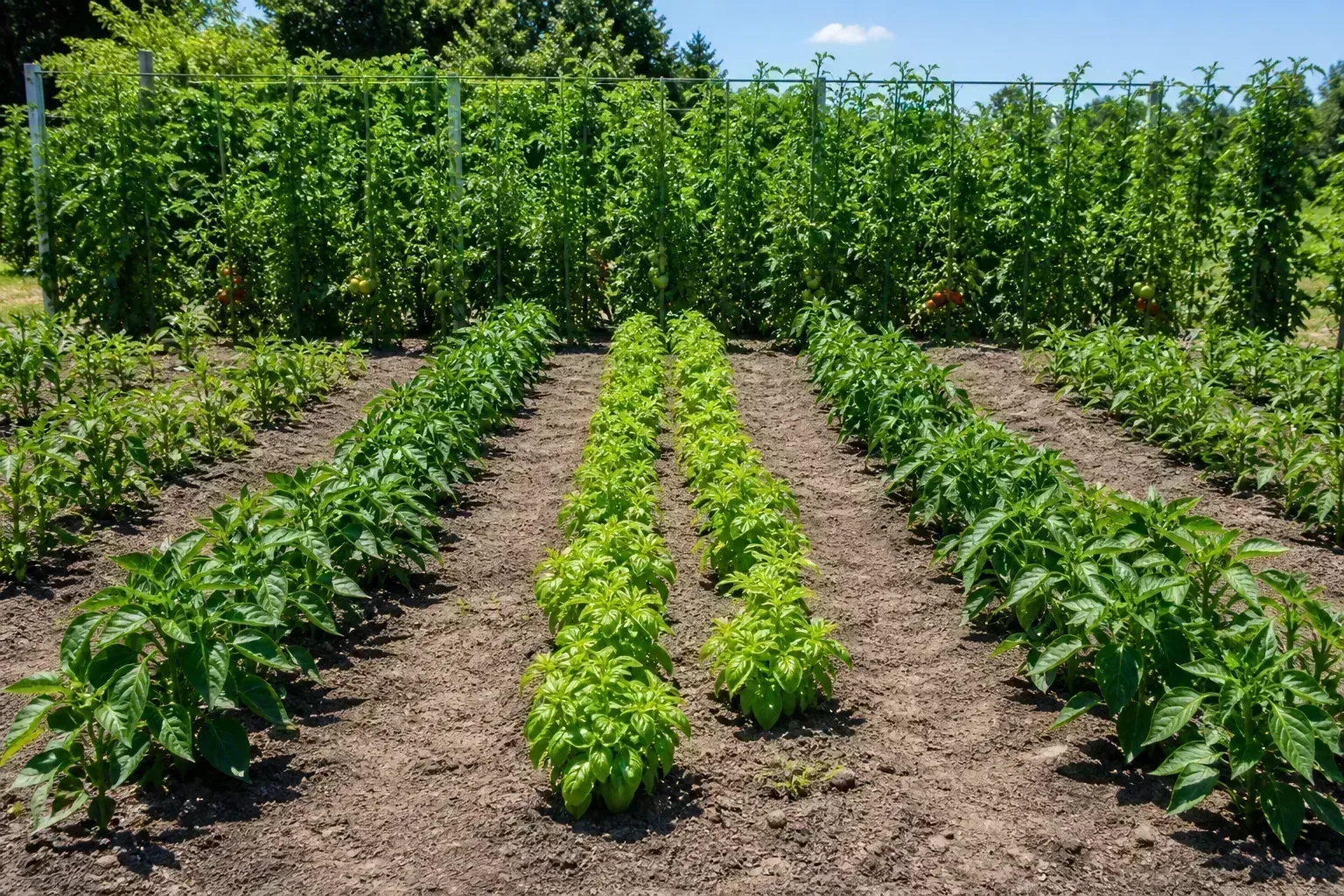
The first mistake is planning from the lot outline instead of the sun. Draw the house, fences, trees, and beds, then verify where direct light actually lands. A peer-reviewed study on plant lighting in controlled environments found that light direction and canopy exposure affect plant performance; the home-garden translation is simple: do not let a pretty top-down layout hide a light problem.
The second mistake is using mature plants at nursery spacing. Put the full-grown width, trellis, and harvest access into the plan. If you cannot reach the center of a bed from either side, reduce the width or add a path before planting.
The third is believing every companion-planting suggestion. Some combinations are sensible because they share timing or use vertical space; others are repeated without strong evidence. Use companion planting as a layout hypothesis, not a pest-control guarantee, and prioritize rotation, sanitation, resistant varieties, and healthy soil.
The fourth is treating free as permanent. Save a PDF, screenshot, or printed copy with the date, variety names, and measurements. A subscription change, discontinued app, or lost login should not erase your base map.
The last mistake is planning more garden than you can maintain. BHG’s guidance recommends starting small for beginners. A compact garden you water, weed, harvest, and observe will teach you more than a sprawling plan that becomes a weekend obligation.
How to turn a digital plan into a garden you can maintain
Print the final plan and create a second version with three kinds of information: permanent features, seasonal crops, and notes. Permanent features include paths, beds, trees, irrigation, and compost. Seasonal information includes crop names, variety, sowing date, expected harvest, and support needs. Notes include what you changed in the ground and why.
Build the garden in this order:
- Mark the fixed boundaries and confirm measurements in the yard.
- Install or outline paths before filling beds.
- Place irrigation, trellises, and other infrastructure.
- Add crops by height and light demand, leaving mature spacing.
- Add a succession crop only when its future space and timing are clear.
- Save the plan, photograph the finished bed, and record the first planting date.
For a small space, use the same logic at a smaller scale. A balcony plan needs load limits, wind exposure, water runoff, and container access; a courtyard plan needs reflected heat and shade from walls; a sloped garden needs erosion and safe footing. The planner helps you see the arrangement, but the site decides whether it is workable. When seed timing is the sticking point, use the vegetable seed-starting guide alongside the layout rather than trusting a generic calendar.
The most useful plan will change. If the first week shows that the hose cannot reach the back bed, move the bed. If afternoon shade arrives earlier than expected, move leafy greens there and keep fruiting crops in the brightest position. A garden plan is a living record of decisions, not a contract with the screenshot you made in winter.
Conclusion
Choose GrowVeg for the most complete vegetable-planning system, VegPlotter for a free-first layout, Gardeners Supply or Smart Gardener for raised-bed spacing, and Plan-A-Garden or Realtime Landscaping Architect for visual property design. Use Seedtime when timing is the bottleneck and Gardenize when memory is the bottleneck.
Before you sign up, measure the site, watch the sun, mark water and drainage, define what you want to harvest, and check whether the tool saves or exports your work. The winning garden planner is not the one with the most icons. It is the one that turns your actual space, local timing, and available energy into a plan you can still follow on a hot afternoon in July.